Introduction
Total revenue for multiple periods
Calculating deltas
Creating "revenue in quarters" reports
Instruction
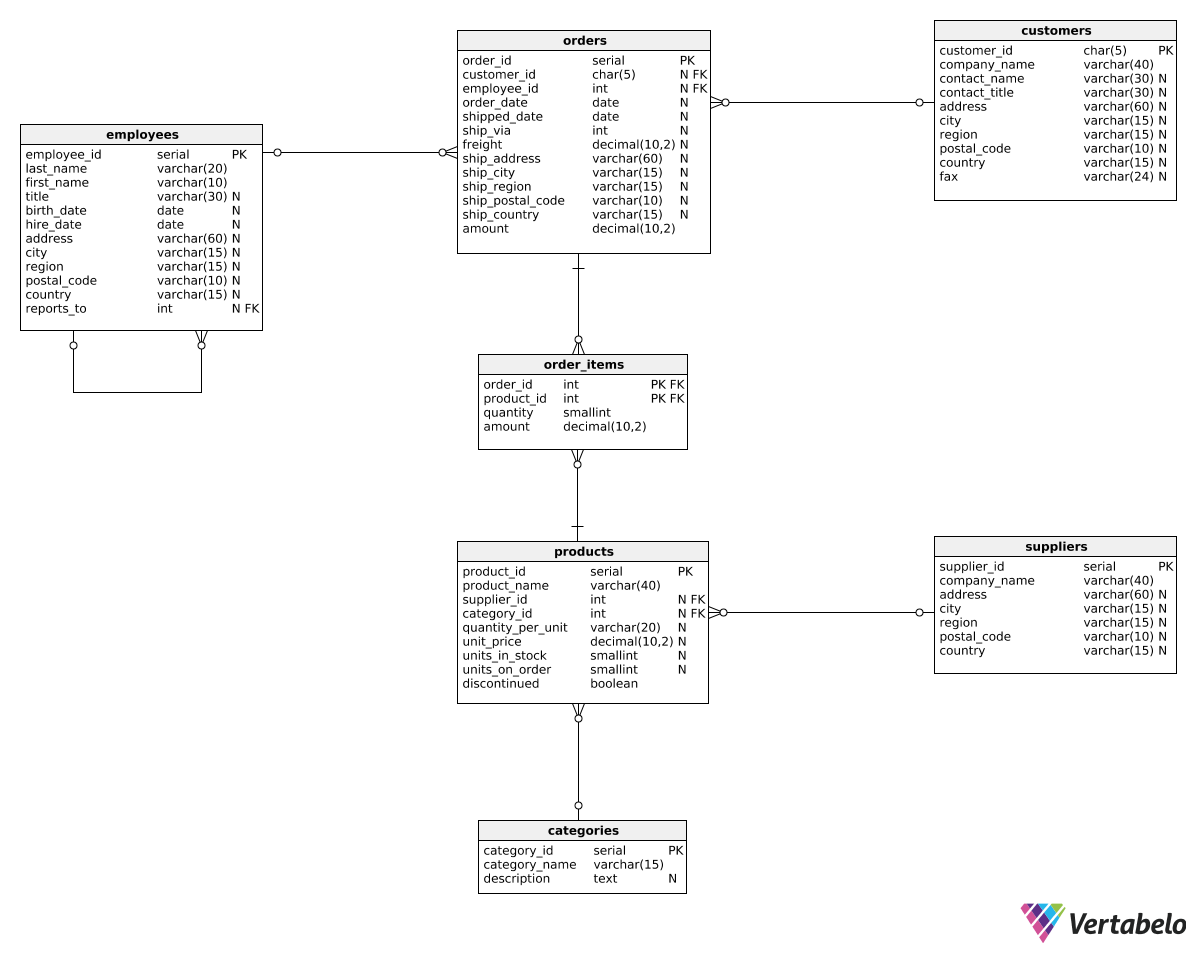
Awesome! We can also express the delta between two periods as a percentage. Look at the following query:
SELECT
  EXTRACT(year FROM order_date) AS revenue_year,
  SUM(amount) AS total_revenue,
  ROUND(
    100 *
    (SUM(amount) - LAG(SUM(amount), 1)
      OVER (ORDER BY EXTRACT(year FROM order_date)))
      / CAST(LAG(SUM(amount), 1) OVER (ORDER BY EXTRACT(year FROM order_date)) AS decimal(10, 2)),
    2) AS delta_percentage
FROM orders
GROUP BY EXTRACT(year FROM order_date)
ORDER BY EXTRACT(year FROM order_date);
Here is the result:
| revenue_year | total_revenue | delta_percentage |
|---|---|---|
| 2016 | 218600.23 | NULL |
| 2017 | 655506.15 | 199.87 |
| 2018 | 273379.76 | -58.29 |
This time, the calculation in the last column is a bit more complicated:
- We divide the change between the current and previous period by the revenue value from the previous period.
- To avoid integer division, we cast the denominator to a decimal type with:
CAST(LAG(SUM(amount), 1) OVER (ORDER BY EXTRACT(year FROM order_date)) AS decimal(10, 2)))
For larger numbers, you can of course increase the first argument ofdecimal(10,2). - We multiply the division result by
100to get the percentage value. - We round the percentage to two decimal places using the
ROUND(value, 2)function.
Exercise
The template query contains the code from the previous example. Modify it to show the revenue change as a percentage that's rounded to three decimal places.
Here's how you can count the revenue change as a percentage:
\frac{\textrm{total amount} - \textrm{total amount from preceding quarters}}{\textrm{total amount from preceding quarters}} \cdot 100
Remember to round the result to three decimal places.
Stuck? Here's a hint!
Use the following expression to calculate the last column:
ROUND(
  100 *
  (SUM(amount) - LAG(SUM(amount), 1)
    OVER (ORDER BY EXTRACT(year FROM order_date),
      EXTRACT(quarter FROM order_date)))
    / CAST(LAG(SUM(amount), 1)
    OVER (ORDER BY EXTRACT(year FROM order_date),
      EXTRACT(quarter FROM order_date)) AS decimal(10, 2)),
  3) AS delta