Instruction
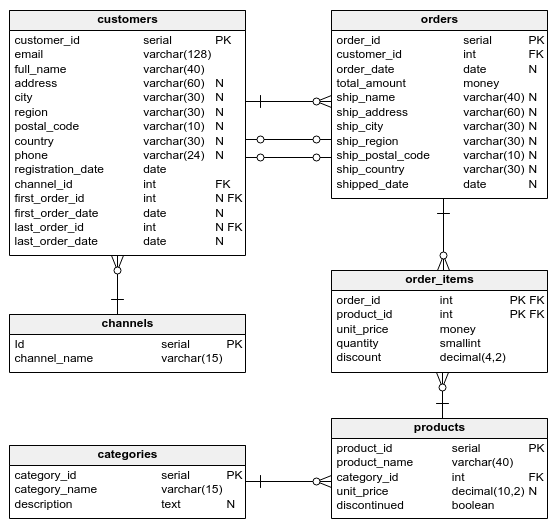
Perfect! To count registrations in 2016, we use the following WHERE clause:
WHERE registration_date >= '2016-01-01' AND registration_date < '2017-01-01';
There is also an alternative way of writing this query. Take a look:
SELECT COUNT(customer_id) AS registration_count_2016 FROM customers WHERE registration_date >= '2016-01-01' AND registration_date < '2016-01-01'::date + INTERVAL '1' year;
This time, instead of providing the end date specifically, we used the INTERVAL 'number' datepart function. It takes two arguments:
number– the number of intervals to add.datepart– the interval unit we want to add, such as:yearormonth.
In our example, '2016-01-01'::date + INTERVAL '1' year means "add one year to the date of Jan 1, 2016". Remember to cast the string with the date to date (by typing ::date), so the database knows that you want to operate on time values.
Exercise
Modify the template which contains the query from the previous exercise, so that it uses the INTERVAL. (We want to see the first half of the year 2017.)
Stuck? Here's a hint!
Use the following invocation:
'2017-01-01'::date + INTERVAL '6' month