Instruction
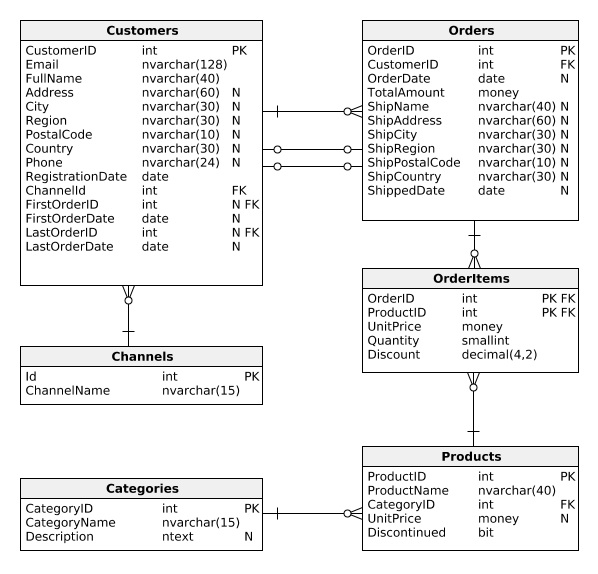
Well done! So far, we've only compared the number of customers who've made or didn't make a purchase. Now, we'd like to go deeper and analyze how much time customers take between registration and their first purchase. Check out the following query:
SELECT CustomerID, DATEDIFF(Day, RegistrationDate, FirstOrderDate) AS DaysToFirstOrder FROM Customers;
Result:
| CustomerID | DaysToFirstOrder |
|---|---|
| 1 | 5 |
| 2 | 3 |
| 3 | 0 |
| 4 | NULL |
| ... | ... |
In the second column, we used the DATEDIFF(Period, StartDate, EndDate) function to calculate the number of days between the user's registration and their first order. Instead of days, we can also use other time units (hours, minutes, weeks, etc.).
Exercise
Show the number of customers who made their first purchase on the day of registration. Name the column ImmediatePurchaseCount.
Stuck? Here's a hint!
Use the DATEDIFF() function in the WHERE clause. It should return 0.