Instruction
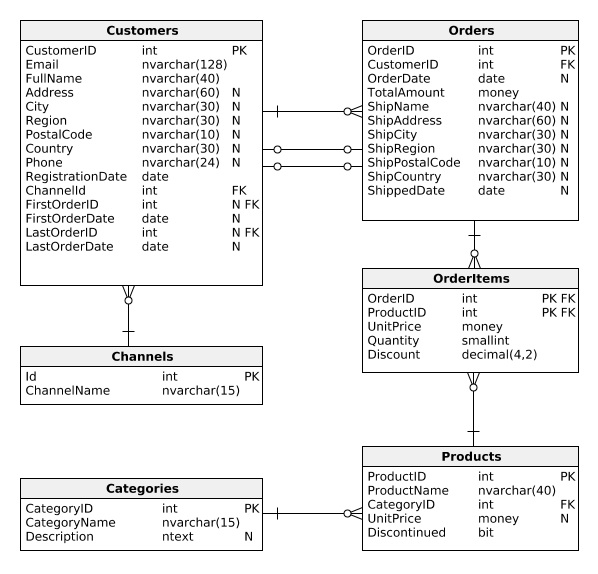
Perfect! The general number of active customers is a good start, but now we'd like to see how many active customers there are in each weekly registration cohort. We can then compare these numbers against the registration campaigns we ran each week and see which marketing activities yielded the greatest number of active customers. Take a look:
SELECT DATEPART(Year, RegistrationDate) AS Year, DATEPART(Week, RegistrationDate) AS Week, COUNT(*) AS ActiveCustomers FROM Customers WHERE DATEDIFF(Day, LastOrderDate, GETDATE()) < 30 GROUP BY DATEPART(Year, RegistrationDate), DATEPART(Week, RegistrationDate) ORDER BY DATEPART(Year, RegistrationDate), DATEPART(Week, RegistrationDate);
Compared to the previous report, we added two DATEPART() invocations (to extract years and weeks) in three places each (in SELECT, GROUP BY, and ORDER BY clauses). This shows us the number of active customers in each cohort.
Exercise
Find the number of active customers (those who placed an order within the last 30 days) that registered in 2017. Use monthly registration cohorts and show two columns: Month and ActiveCustomers. Order the rows by month.
Does any month stand out?
Stuck? Here's a hint!
Use:
DATEPART(Month, RegistrationDate)